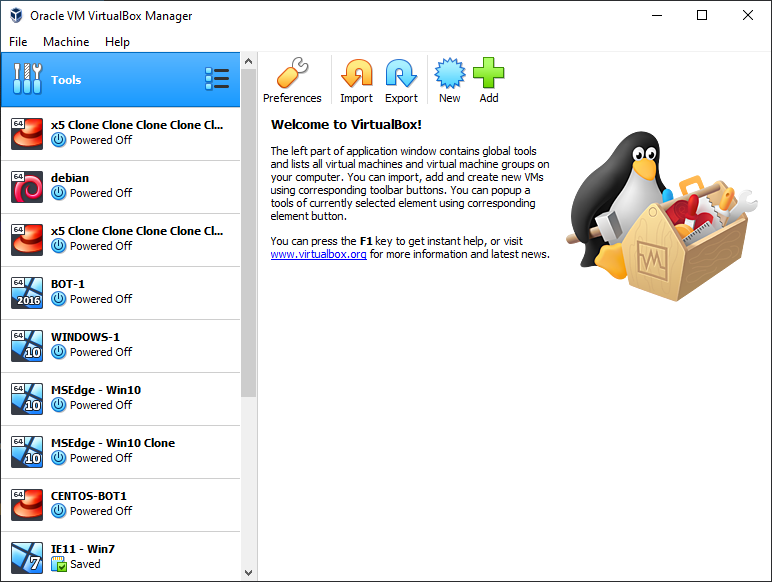
Virtual machines are usually the best option for isolation which you can can do locally on your own PC. It is similar to renting servers, but more suitable for beginners before they expand. There are several virtualization software tools to choose from:
Each of them has advantages and disadvantages. In this tutorial we will focus on VirtualBox since it is open source, works on any operating system and completely free. The only downside of VirtualBox is it is a little slower than the others but shouldn’t affect the bots too much.
Importing a virtual machine
Download VirtualBox for Windows here or the Mac version from here and install it. You can either create a new virtual machine and install the operating system yourself, or download a pre-configured virtual machine image. Windows 10 virtual machines are recommended to avoid OS detection as this may increase the risk of bans, but only slightly. You can download preconfigured Windows 10 virtual machines fromhere, no license is required.
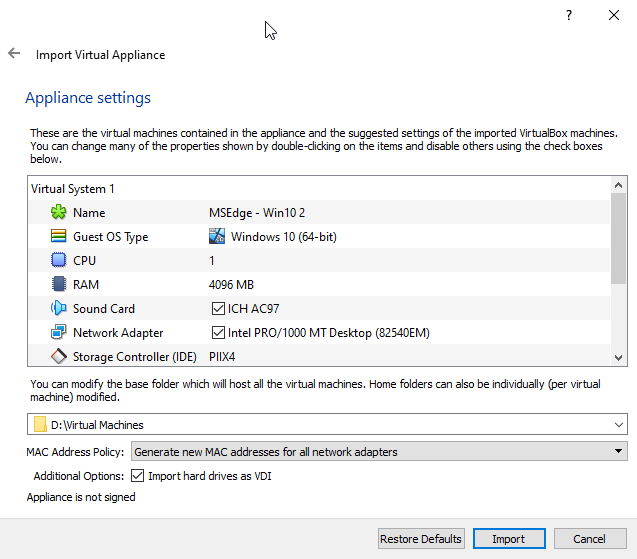
After you downloaded the virtual machine image and unarchived it, it’s time to import it. In the top left corner of VirtualBox interface, click File -> Import and enter the path to the downloaded file (.ova file).
Select a path on a drive where you have enough space since virtual machines require quite a bit of storage (20GB-40GB per machine usually), in this case I put them on D drive. Make sure you select the “Generate new MAC address for all network drivers” option to avoid profiling, and click Import. This will take some time.
Botting setup
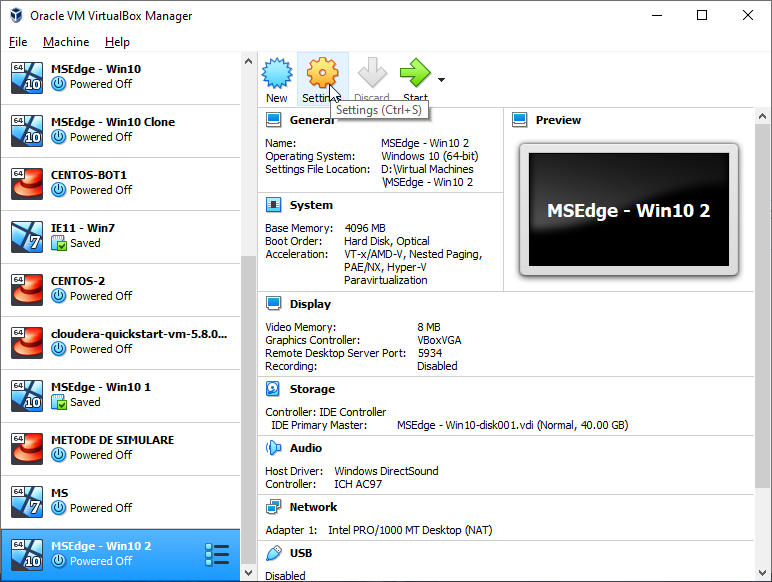
After the import is complete, select the virtual machine and go to settings. Go to Display tab and set the video memory to 128 MB. Next, go to System and make sure the “Network” is checkbox is ticked. Next, go to storage and make sure you have an optical drive, by default it’s possible to have only the storage, but you will need an optical drive in order to install guest additions later on. If you don’t have an optical drive, add it and select the guest additions image to be inserted. Finally, go to General, under Advanced tab and set both Shared Clipboard and Drag’n’Drop to “Bidirectional”.
Open the settings window
Set video memory
Enable network
Enable sharing options
Add an optical drive
Select guest additions image
Close the settings and start the virtual machine. If a password is required, use “Passw0rd!”. Now all that’s left to do is download the required botting tools. Start with installing Java as describedhere, then download OSBot. If you have any private/local scripts you can easily transfer them to the virtual machines by dragging the file into the virtual machine. For the Bot Manager, install Chrome browser. Finally, go to devices (top menu), and click insert guest additions. After that, open file explorer and navigate to the CD drive, and install the guest additions. This will require a reboot. Once it restarts, you should have a full-screen virtual machine.
The Windows 10 license is a trial and set to expire after 90 days. To avoid this, create a snapshot of the virtual machine which you can restore later. If it does expire, you can also setup a new virtual machine, since they are very easy to deploy. After you have installed Java and downloaded OSBot, and any additional things you may need for botting, you can clone the virtual machine as many times as you need and deploy 1-2 bots per virtual machine to properly isolate them.
You can goldfarm on your PC if you run a small farm and don’t mind leaving it on 24/7, but when you decide to scale up you will need some servers to run all the accounts. Servers are difficult to configure, so you should either look for pre-configured servers or hire a programmer to do this for you. Once the setup is complete, you should receive VNC credentials, in the form of username, password, IP address and a port (usually 5901).
There are many VNC clients you can use, they all should work the same but we recommend VNC Viewer. Once you have installed VNC viewer, open the application and create a new connection (under File menu). Bare in mind your server must have a GPU as the official client requires one.
Enter the server credentials you receive via email in the popup window that appears. It’s usually in the format IP:5901, and you can optionally give the server a name so you can easily identify it if you plan to get many servers later on.
After the connection is created, double click on it or right click and choose “Connect”. You will be prompted to enter the VNC password you received. Tick the remember password checkbox so you don’t have to do this every time and click “OK”.
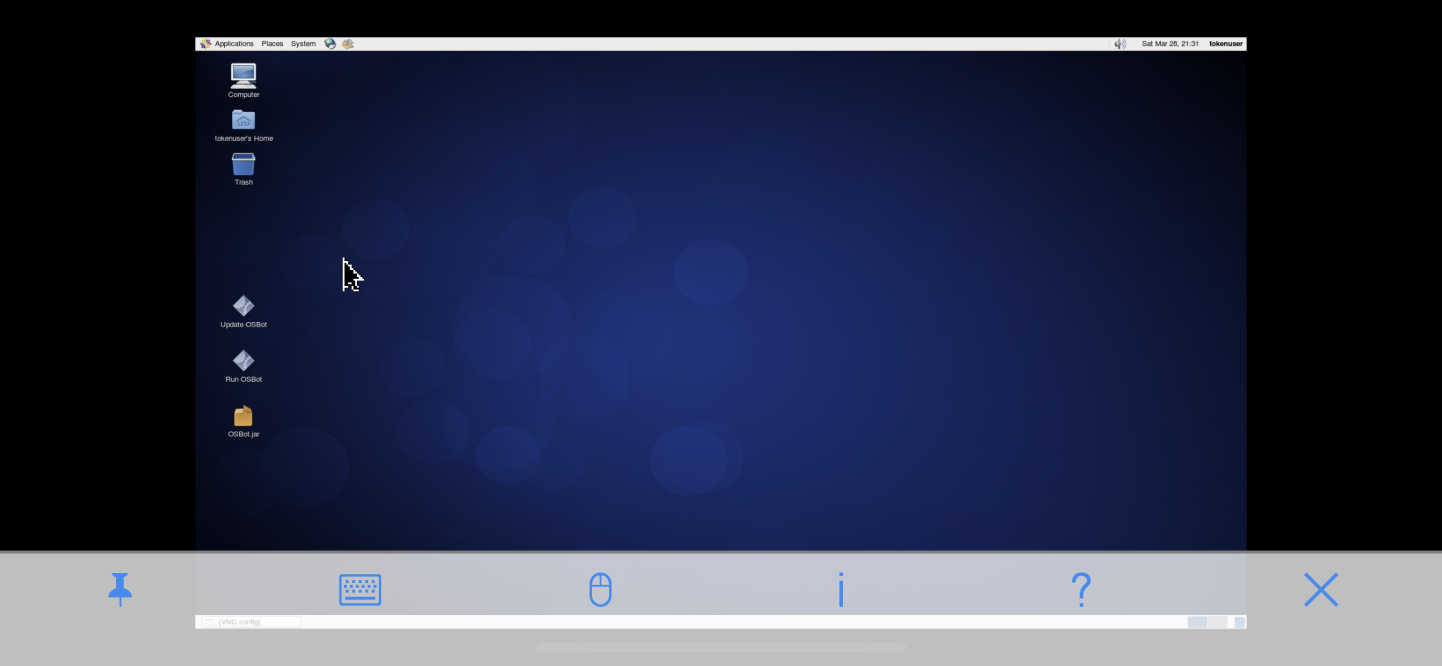
The server desktop will be displayed, similar to teamviewer. There are some image quality options at the top if you want to adjust it. Lower quality generally improves speed. You don’t have to worry if it looks a little laggy, the server itself is not lagging, it’s only the image.
You can also use VNC viewer from your phone/tablet to manage your farm on-the-go. You will find the application in both Google Play and Apple Store and works the same way the desktop one does.
Proxy credentials contain 4 fields, in this example they are:
IP: 5.16.232.215
port: 2048
user: 7f4840c391
pass: 539q1223d0e3
Using proxies with the BH Client
All you have to do is add them to our client like this on the boot interface, under the second tab.
By design, the option to use proxies is only available with the stealth injection mode. If you would like to use proxies with the mirror mode client, you would have to use our bot manager tool, which employs proxifier to assign proxies.
Using proxies with the Bot Manager
Simply click on ‘Data’ and copy and paste your proxy credentials. Then, from the main dashboard, you can assign your bot its respective proxy, world, task, etc.
Using proxies in the browser
This method will not work in most cases, as Jagex is blocking website interactions on proxies and VPN’s.
This can be done with any browser, but you will require some plugins since common browsers like Firefox or Chrome do not support SOCKS5 proxies out of the box. I recommend you try Maxthon browser instead, this one has built-in SOCKS5 proxy support. The proxy setup process is outlined below. Make sure you have an older version of maxthon. The latest one does not support proxies. Also, there is a big chance the proxy may get blocked by Incapsula (error 15). This is NOT an issue with the proxy hence you can use it inside the botting client without issues. To bypass error 15 use our bot manager, it creates the accounts automatically in the cloud on a pool of 1m+ IP’s. Alternatively, you can use your mobile data.
If you want to give Maxthon a try:
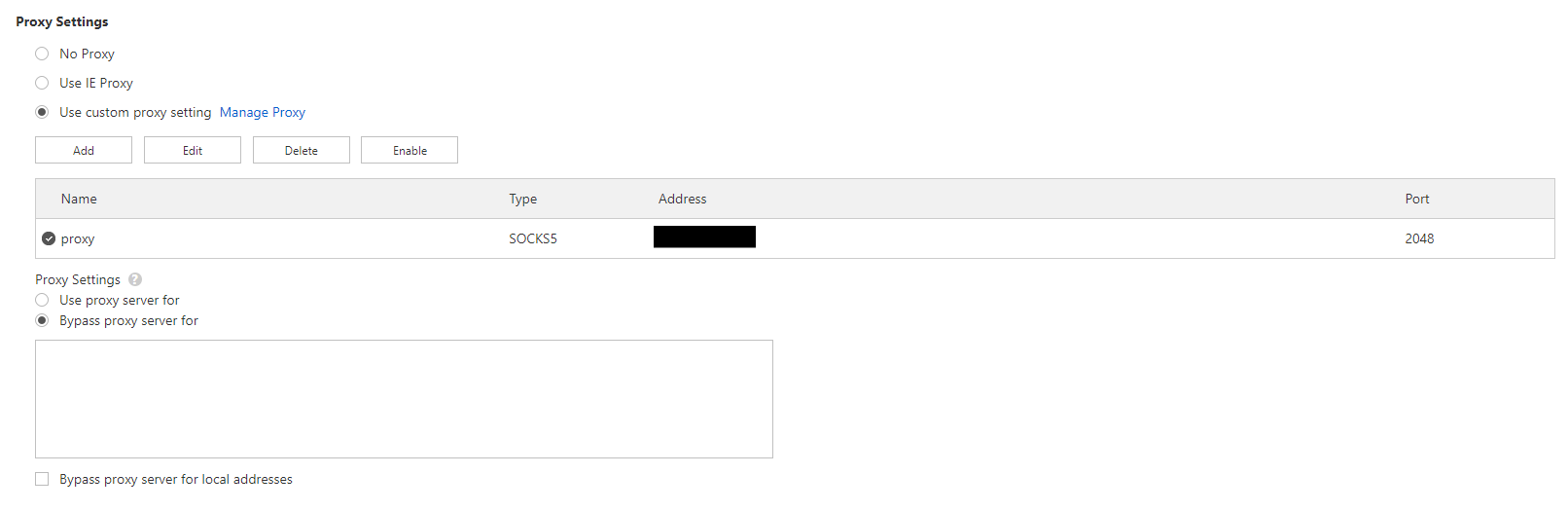
1. Open the settings tab
2. Go to advanced section
3. Scroll down to the proxy part and select use custom proxy setting
4. Click add and fill in the proxy credentials as you received them (the name can be anything)
5. Make sure all settings are correct like in the picture below
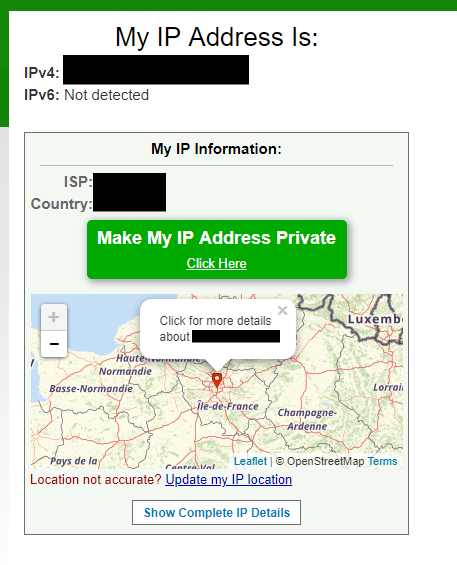
6. Open a new tab and check the proxy is working with whatismyipaddress
Using proxifier
Proxifier can be used to apply SOCKS5 proxies system-wide, or to specific applications. OSBot has built-in proxy settings, but these do not work with mirror mode. Proxifier can be used in this case to apply the proxy to both the mirror client and the attached OSRS client.
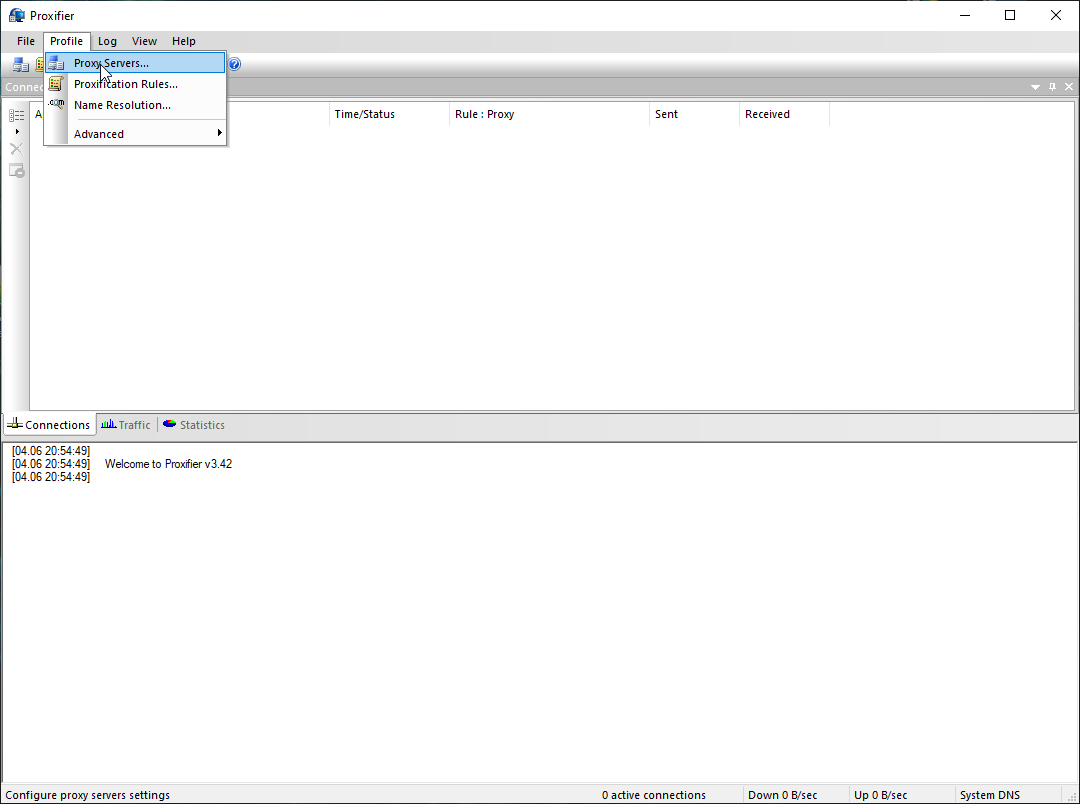
1. Open proxifier and go to proxy servers
2. Add a new proxy server and fill in the proxy credentials
3. Press check and start testing to make sure the credentials are correct
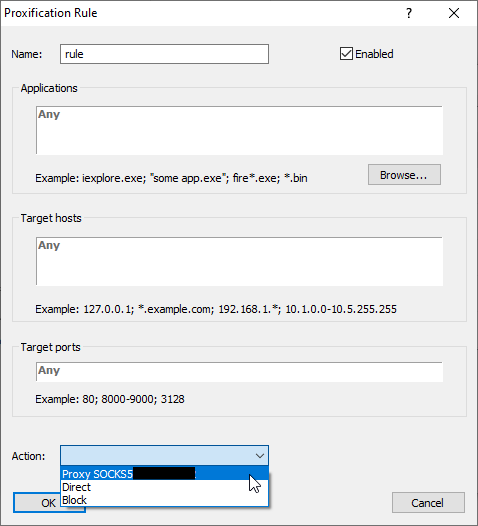
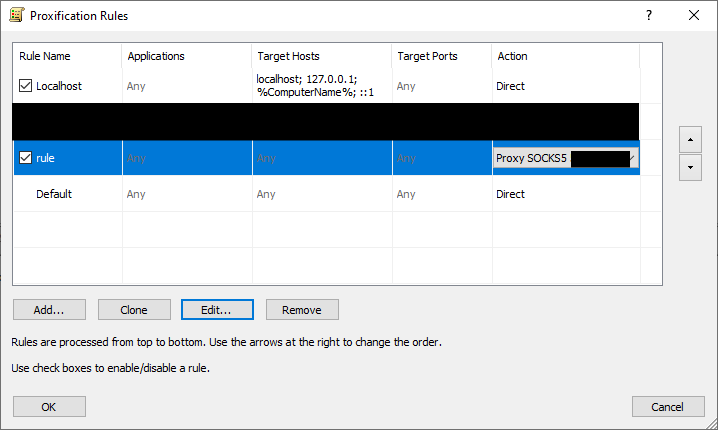
4. Add a new proxification rule
5. Give the rule whatever name you want, and specify if you want it to apply only to some applications (by default it applies to all), then select the proxy from the drop down menu at the bottom next to action
6. Make sure the rule is enabled and settings are correct
Scripts are what sets a botting client apart from the official OSRS client. They control the behavior of the player and dictate what it should do, e.g. fishing, killing zulrah, doing tutorial island, etc.
The SDN (Script Delivery Network) is an online repository of scripts maintained by OSBot for its users. The network is managed by Token, who monitors and checks every script to ensure safety and quality for its users. The SDN contains 3 types of scripts: free, VIP+ and premium. In addition to this, you may also encounter private scripts but those are not on the SDN, and not regulated by OSBot staff.
Free scripts are free to use. They are generally written by new scripters, as part of their official scripter application. These usually provide only basic tools for botting.
VIP+ scripts are similar to the free scripts. The only difference is that VIP+ scripts can only be used by VIP and sponsor members on OSBot. This restriction sometimes translates to lower ban rates due to less usage.
Premium scripts are what you should aim to use. There is a broad range of premium scripts available on OSBot ranging from simple scripts (e.g. cooking, pest control, combat) to high end content (e.g. zulrah, vorkath, barrows, firecape) and complex activities (e.g. quests, slayer, diaries).
Private scripts are the most flexible choice with similar quality to premium scripts (depends on the scripter who writes them) but they come with a much higher price. While premium scripts can be found for most common activities for $5 to $30, private scripts are customizable, with many possible features, and usually fall in the $25 to $1000 range.
What should I use?
That depends on your goals, commitment and budget, but for 99% cases, the best option is premium scripts. They have a very good price to quality ratio and suit most needs, whether you are a casual botter training a few accounts, or a hardcore goldfarmer aiming for $10k+/month.
for free scripts, simply click “Add” and the script will show up in the client (refresh the script selector for it to show up)
for premium scripts, click “Buy”, you will be redirected to the shop to complete the purchase. The script will be automatically added to your account after purchase (refresh the script selector for it to show up)
2. Private (local) script
download the script jar file
move the jar file to the OSBot scripts directory located at C:\Users\<USER>\OSBot\Scripts\
Why You Shouldn't Be Using OSBot in 2025: A Dangerous Choice for Serious Botters
As someone who has been deeply immersed in the world of OSRS botting for nearly a decade, I’ve witnessed firsthand the evolution of various botting platforms—and let me tell you, OSBot is no longer the reliable choice it once was. In fact, I’ve used it more than anyone else in the community, and those who have followed us for years know this. We were once so invested in this platform that our manager worked hand-in-hand with them for years, developing and selling scripts.
However, things took a turn when the platform stopped releasing updates, and the performance began to degrade. That’s when we made the tough decision to remove all of our scripts from the store. We lost thousands of dollars in development, time, and resources, but it was a necessary step. Since then, we’ve developed our own AI-powered bots on the official OSRS client, and I’m here to explain why you should stop using OSBot in 2025.
1. Outdated Technology and Lack of Updates
One of the biggest reasons to avoid OSBot is its outdated technology. For years, it was a solid option, and we had a strong presence on the platform. But when they stopped updating their system, we quickly realized it was no longer sustainable. The platform failed to keep pace with Jagex’s evolving anti-bot measures, which has led to a significant increase in bans across the board.
As someone who’s been botting for a long time, I can tell you that using OSBot now feels like stepping back in time. The botting community has advanced, and so has Jagex’s detection system. OSBot simply couldn’t keep up, which is why we moved away from it and started developing our own bots on the official client.
2. High Ban Rates and Unreliable Scripts
If you’re serious about making money with botting, you can’t afford to risk getting banned constantly. Unfortunately, the ban rates for OSBot have skyrocketed in recent years. What was once a reliable option has now become a major risk for anyone who values their account. The bots on this platform, which were once able to run for weeks, now get flagged within days.
This was something we saw firsthand when we worked with the platform for years. The scripts that once performed well now caused constant bans. That’s why we decided to take action and remove all our scripts built for OSBot and transition to a better solution.
3. Lack of Innovation and Future-Proofing
Botting requires staying ahead of Jagex’s anti-botting updates, but OSBot failed to innovate. Their lack of forward-thinking has resulted in a platform that’s stagnant and increasingly vulnerable to detection. As the detection methods became more sophisticated, OSBot didn’t keep up, and this failure to adapt led us to develop a new solution with AI bots on the official client.
We realized that without continuous innovation, OSBot was not a safe or reliable option for long-term botting. That’s why we invested in building our own technology, ensuring that our bots can evolve with the changes Jagex implements.
4. Poor Customer Support and Transparency
Another reason to steer clear of OSBot is their poor customer support. Over the years, we encountered numerous issues with the platform, and when we reached out for assistance, the support team was unresponsive or slow to provide solutions. As someone who has spent thousands of hours botting and generating revenue, I can tell you that responsive customer support is crucial when dealing with issues.
We experienced this lack of support firsthand. As time went on, it became clear that OSBot couldn’t provide the level of service needed to keep accounts running smoothly. This, combined with the platform’s other issues, solidified our decision to leave.
5. The Power of AI Bots on the Official Client
As someone who has invested significant time and money into botting, I can confidently say that the future of OSRS botting lies in AI-powered bots that run on the official client. After the frustration with OSBot, we decided to take matters into our own hands and develop a completely new solution.
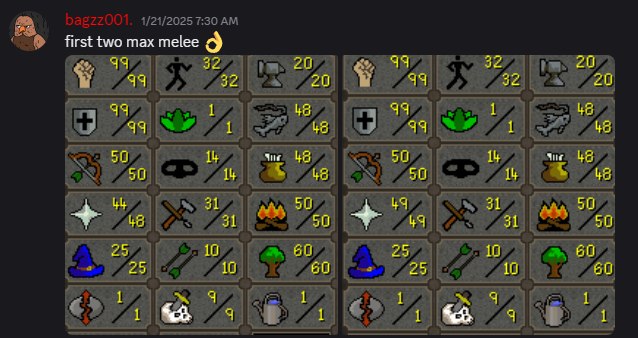
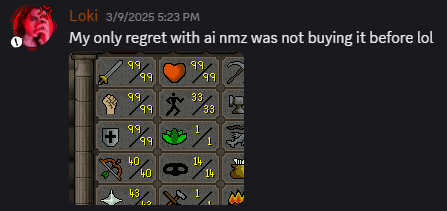
Our AI bots are designed to adapt to Jagex’s anti-botting measures, ensuring that your account remains safe and your profits continue to grow. With advanced algorithms that mimic human behavior, our bots are far less likely to be flagged by Jagex, making them a far superior option compared to OSBot. See some results with AI below:
Final Thoughts: Make the Smart Move—Avoid OSBot in 2025
In conclusion, OSBot is no longer a reliable choice for serious botters in 2025. With high ban rates, outdated technology, poor customer support, and a lack of innovation, it’s clear that OSBot is a platform that’s been left behind.
We learned this the hard way, losing thousands of dollars in development and time. But we’ve moved forward, and we’re now offering AI-powered bots that provide a far more secure and profitable botting experience. If you’re serious about botting and want to avoid the headaches of OSBot, make the switch to a platform that’s evolving and built for long-term success.
For years, Java was the backbone of RuneScape’s game client, serving as the platform that powered both the official game and many third-party botting tools. This legacy Java client enabled bot developers to create programs that interacted directly with the game’s Java-based infrastructure.
However, Jagex has now officially announced the discontinuation of the legacy Java client as part of their modernization efforts. While the official game client has moved to C++, some botting solutions still rely on Java’s legacy functionality – an approach that will soon become completely obsolete.
Our solution has evolved with these changes.
We strongly advise against using any botting software that depends on Java’s legacy functionality, as these solutions will cease working entirely. For a botting solution built for RuneScape’s current and future infrastructure, use our AI scripts instead.