System requirements

Supported Operating Systems: Windows 10 ; 11  (Home, Pro, Educational, Enterprise); Windows Server 2016+; Linux; Mac OS

Software requirements

Download these files if you purchased the AI scripts:

Proxifier key: KFZUS-F3JGV-T95Y7-BXGAS-5NHHP

Windows language settings for keyboard/apps/display/regional format must be English;
Screen display must have 100% scaling.
Download these filed if you purchased the bot manager:

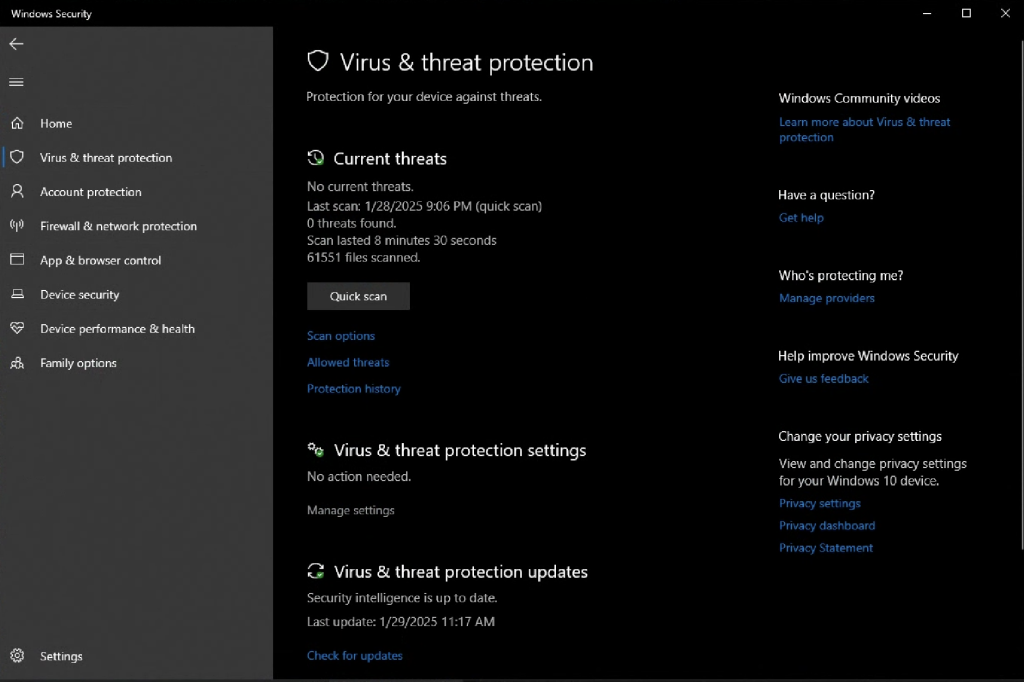
Configure Windows Security Exclusions

1. Open Windows Security settings

2. Click "Manage settings" under Virus & threat protection settings

Follow this step if your antivirus is preventing the client from running

3. Click "Add or remove exclusions" under Exclusions

4. Click "Add an exclusion", and select Folder

5. Type "%SYSTEMDRIVE%%HOMEPATH%\Botting Hub" and click "Select Folder"

6. Go back to Virus & threat protection, and click "Manage settings"

7. Turn off Real-time protection